
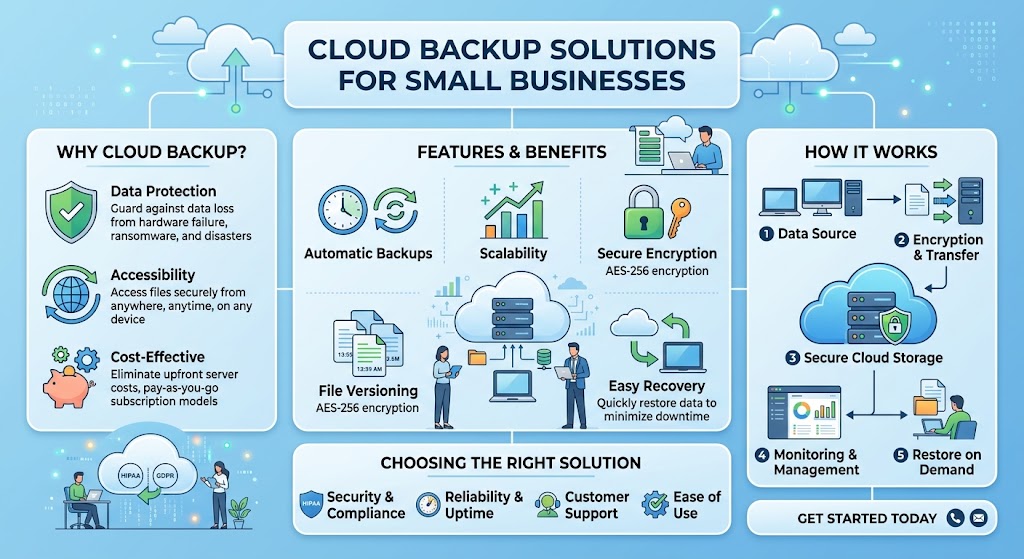
Ransomware can lock employees out of business files, disrupt customer service and create expensive downtime. A reliable cloud backup solution gives your company a way to restore important data without relying on the compromised copy.
The best business backup software does more than upload files. Look for automatic backups, protected file versions, secure administrator access, tested recovery procedures and immutable or offline copies that attackers cannot easily delete.
This guide compares leading cloud backup solutions for small businesses, including Backblaze, IDrive, Acronis, Veeam and CrashPlan. It explains which businesses each product may suit, which ransomware defenses matter most, and how to create a practical backup plan on a budget.
What Is Cloud Backup with Ransomware Protection?
Cloud backup creates separate copies of business data and stores them away from the original devices. If ransomware encrypts a laptop or shared drive, a company may be able to restore clean file versions from backup rather than paying for a decryption key.
Ransomware protection is not a single feature. It usually involves several safeguards working together: keeping historical versions, preventing unauthorized deletion, protecting backup administrator accounts and making sure recovery copies remain available after an attack.
Important ransomware protection features
- Version history: Restore an earlier copy from before files were encrypted or damaged.
- Immutable backups: Prevent protected backup data from being changed or deleted during a defined retention period.
- Separate credentials: Reduce the risk that compromised everyday accounts can destroy backups.
- Multifactor authentication: Add another layer of protection to administrative access.
- Automated backup schedules: Reduce reliance on employees remembering to copy files manually.
- Recovery testing: Confirm that the business can restore files and resume operations.
No backup service can guarantee that ransomware will never affect a business. The goal is to reduce the likelihood of losing every recoverable copy and to shorten the time required to resume normal operations.
Best Cloud Backup Solutions for Small Businesses
1. Backblaze Business Backup
Backblaze Business is designed for backing up employee Windows PCs and Macs with centralized administration. It is worth considering for small businesses that want automatic endpoint backup without managing storage quotas for every computer.
- Unlimited backup per covered computer on the listed Business plan.
- Automatic backup of user-generated data by default.
- One-year version history included on the current listed plan.
- Centralized administration and multiple restore options.
Ransomware considerations: Version history can help recover older files. Businesses needing stronger protection against unauthorized backup changes should evaluate the Enterprise Control options and backup lock-down features.
Published price: $99 per computer per year on the current listed Business plan. Confirm coverage, terms and any required enterprise features before purchase.
Explore Backblaze Business2. IDrive Business
IDrive supports backups across computers and various business workloads, including servers and supported network-attached storage devices. Its range of capacity tiers can suit organizations that need to protect more than employee laptops.
- Centralized management for business backup accounts.
- Backup options for computers, servers and supported devices.
- Scheduled backup and restore tools.
- Options for businesses with different storage requirements.
Ransomware considerations: Review the versioning, retention and account security options available in the specific plan. For critical data, consider a separate immutable backup target rather than relying on a single account.
Published pricing: Business plans have multiple capacity tiers. The official pricing page lists promotional annual-billing rates; renewal pricing and capacity should be checked before committing.
Explore IDrive pricing3. Acronis Cyber Protect
Acronis combines backup capabilities with cybersecurity features in its product portfolio. It may be suitable for small businesses that want to manage endpoint protection and data recovery through a more integrated platform.
- Backup and recovery for supported devices and workloads.
- Cybersecurity features depending on the product and license.
- Management tools for business environments.
- Options for organizations with more complex protection needs.
Ransomware considerations: Compare the exact edition for malware protection, recovery capabilities, retention and immutable storage support. Do not assume every feature is included in every license.
Pricing: Depends on the selected product, workload, storage and subscription. Request a quote or use the official product page to identify the right package.
Explore Acronis Cyber Protect4. Veeam Data Platform
Veeam is worth evaluating when a small business runs virtual machines, servers or a more complex IT environment. Its backup and recovery ecosystem supports a range of infrastructure and cloud-storage designs.
- Backup and recovery for supported workloads.
- Options for on-premises and cloud-based architectures.
- Support for designs using immutable backup repositories.
- Tools for larger recovery and administration workflows.
Ransomware considerations: Immutable repositories and isolated backup credentials can help protect recovery copies. Correct configuration and access management are essential.
Pricing: Depends on workloads, edition, licensing and infrastructure. It may require more setup and administration than a simple endpoint backup service.
Explore Veeam5. CrashPlan
CrashPlan provides business-focused endpoint backup and recovery. It may be a good candidate for small organizations that need a dedicated way to protect employee computer data rather than a full infrastructure backup platform.
- Endpoint backup designed for business use.
- File recovery and retention options, depending on the plan.
- Centralized administration features.
- Useful for distributed teams and employee devices.
Ransomware considerations: Verify retention policies, the ability to recover historical file versions and how administrators can protect or restore backup data if an account is compromised.
Pricing: Check the current business plan, user requirements and retention options directly with the provider.
Explore CrashPlan6. Backblaze B2 Cloud Storage
Backblaze B2 is object storage rather than a complete endpoint backup application. It can serve as a cloud destination for compatible backup software and business workflows.
- Object storage for backup applications and data workflows.
- Object Lock support for immutable retention policies.
- Access controls and API key permissions.
- Replication options for supported architectures.
Ransomware considerations: Object Lock can help prevent protected objects from being modified or deleted during the configured retention period. The backup software, credentials and retention policy still need to be configured securely.
Pricing: Generally depends on stored data and applicable operations or transfer terms. Check current rates and the retention configuration before estimating total cost.
Explore Backblaze B2Cloud Backup Software Comparison Table
| Solution | Best use case | Ransomware-related strengths | Pricing approach |
|---|---|---|---|
| Backblaze Business | Employee PCs and Macs | Version history, centralized restore management and optional advanced controls | Published per-computer annual plan |
| IDrive Business | Computers, servers and supported devices | Scheduled backup, recovery and business account management | Capacity-based tiers |
| Acronis Cyber Protect | Endpoint backup plus cybersecurity | Integrated security and recovery features, depending on edition | Product, workload and license dependent |
| Veeam Data Platform | Servers and virtual workloads | Recovery workflows and support for immutable repository designs | Workload and license dependent |
| CrashPlan | Business endpoint backup | Backup retention and recovery options, depending on plan | Plan and subscription dependent |
| Backblaze B2 | Cloud storage target for compatible backup systems | Object Lock and access controls when configured appropriately | Usage-based storage model |
This is a feature-oriented comparison, not a guarantee that every feature is included in every tier. Verify product compatibility, retention, immutability and current prices with each vendor.
What Makes a Cloud Backup Solution Resistant to Ransomware?
1. Immutable or locked backup copies
Immutable backup storage is designed to prevent protected data from being altered or deleted during a defined retention period. This can make it harder for attackers who gain access to ordinary business accounts to destroy every recovery copy.
Object Lock is one example of this approach. It must be configured correctly, and administrators should understand who can change retention settings, manage credentials or control the storage account.
2. Version history and retention
Ransomware may encrypt files gradually or remain undetected for some time. Keeping historical versions increases the chance of finding a clean copy from before the attack. Choose a retention period that matches how quickly your business would detect a problem.
3. Separate backup credentials
Do not use the same everyday administrator credentials for all production systems and backups. Use unique credentials, multifactor authentication and limited permissions. Where possible, separate backup administration from ordinary employee accounts.
4. Recovery testing
A backup is only useful if it can be restored. Test individual files, folders and important business systems. Record how long recovery takes and who is authorized to initiate it.
5. Offline or isolated copies
A disconnected or logically isolated copy can provide another layer of protection if an attacker compromises connected systems. Keep a recovery copy separate from everyday production access and verify that it remains usable.
How to Choose the Right Backup Service for Your Business
If you have fewer than 10 employees
Prioritize automatic computer backup, simple administration and easy file restoration. Backblaze Business may suit a team focused on employee computers, while IDrive is worth evaluating if you also need broader device coverage. Confirm the backup scope before purchase.
If you operate servers or a NAS
Check support for your operating systems, databases, virtual machines and network-attached storage. IDrive and Veeam are worth comparing for these requirements. A basic endpoint backup plan may not protect the entire server or application stack.
If you need backup and endpoint security together
Acronis Cyber Protect is an option to evaluate. Compare the included security functions, licensing, management console and recovery capabilities with your current antivirus and backup products. Bundling may simplify administration, but it is not automatically the lowest-cost choice.
If you need immutable cloud copies
Consider a compatible backup application paired with object storage that supports retention locking, such as Backblaze B2 with Object Lock. Check whether the backup application supports the storage target and whether its credentials can bypass or alter retention settings.
How Much Should a Small Business Budget for Cloud Backup?
The total depends on the number of computers, amount of data, servers, retention period and security requirements. A per-computer subscription may be predictable for a small office, while capacity-based services can make more sense for large datasets or mixed workloads.
As one published example, Backblaze lists Business Backup at $99 per computer per year. Five covered computers would therefore cost $495 annually at that listed rate, before any additional services or applicable taxes. Other vendors use different pricing models, so compare the full quote rather than only the starting price.
Include these items in your budget:
- Backup subscriptions for employee computers and servers.
- Cloud storage capacity and any applicable transfer or retrieval charges.
- Longer version history or immutable retention, if required.
- Security tools and multifactor authentication management.
- Initial configuration, migration and employee training.
- Time for recovery tests and incident response exercises.
Small Business Ransomware Backup Checklist
Use this checklist to review whether your backup setup is ready for a ransomware incident.
0 of 8 completed
Common Backup Mistakes That Leave Businesses Exposed
- Relying only on file synchronization: synchronized deletions or encrypted files can propagate across devices.
- Keeping every copy accessible: attackers may target connected backups if they compromise administrator accounts.
- Using short retention periods: an attack discovered late may leave no clean versions within the retention window.
- Never testing restores: a successful upload does not prove the files can be recovered correctly.
- Ignoring cloud applications: backing up employee laptops may not protect business email, collaboration data or SaaS applications.
- Forgetting laptops used remotely: confirm that off-site computers continue backing up when employees work outside the office.
Frequently Asked Questions
What is the best cloud backup for a small business against ransomware?
There is no single best option for every business. Backblaze Business is worth considering for straightforward computer backup, IDrive for broader device and server coverage, Acronis for integrated backup and cybersecurity features, and Veeam for more complex infrastructure. Compare the exact retention, recovery and immutable-storage capabilities before choosing.
Can cloud backup stop a ransomware attack?
Backup primarily helps a business recover data after loss or encryption. It does not replace prevention measures such as endpoint security, patching, multifactor authentication, email filtering and employee training. Use backup as one layer in a broader security plan.
What is an immutable backup?
An immutable backup is protected against modification or deletion for a configured period. This can prevent an attacker from easily destroying recovery copies, provided the retention policy and administrative access are configured securely.
How often should a small business back up its data?
The right frequency depends on how much data the business can afford to lose. Some businesses need continuous or frequent backups, while others can use scheduled daily backups. Define a recovery point objective and test whether your schedule meets it.
Is cloud backup enough for ransomware protection?
Cloud backup is important but should be combined with endpoint protection, timely software updates, strong authentication, least-privilege access, employee awareness and an incident response plan. Keep an isolated or immutable recovery copy and test it regularly.
Should a small business back up Microsoft 365 or Google Workspace separately?
Evaluate the retention and recovery capabilities included in your subscription against your business requirements. A separate SaaS backup may be appropriate when you need longer retention, independent recovery copies or additional protection from accidental deletion and account compromise.
How can I tell if my backups are working?
Monitor backup job status and alerts, review coverage reports, and periodically restore representative files and critical systems. Document how long recovery takes and fix any failures or missing data sources promptly.
Final Verdict: Build a Backup Plan You Can Actually Restore
The best cloud backup solution for a small business is one that covers the data you depend on, protects recovery copies from unauthorized changes and makes restoration practical under pressure.
- Choose Backblaze Business if you want a straightforward endpoint backup approach.
- Compare IDrive Business if you need to protect multiple device types and servers.
- Evaluate Acronis Cyber Protect if integrated backup and cybersecurity are priorities.
- Consider Veeam for more complex server and virtual infrastructure.
- Evaluate CrashPlan for dedicated business endpoint backup and recovery.
- Consider Backblaze B2 with Object Lock when you need an immutable storage target supported by your backup workflow.
Before committing to a subscription, test a restore, confirm the retention settings and make sure an ordinary compromised employee account cannot delete every recovery copy. A tested backup strategy is more valuable than a plan that looks good on paper but fails when your business needs it most.
Editorial note: Product capabilities, security features and pricing can change. Confirm current plan details with each provider. This article is informational and does not constitute a security audit or guarantee of ransomware prevention.